 Get started
← All docs / Create
Make your first change
Edit the player, run the game, and undo.
On this page
Open the Signal sample:
cargo run -p playweave-cli -- edit examples/signal-3d- Select the player in the hierarchy. Change its position or color in the inspector.
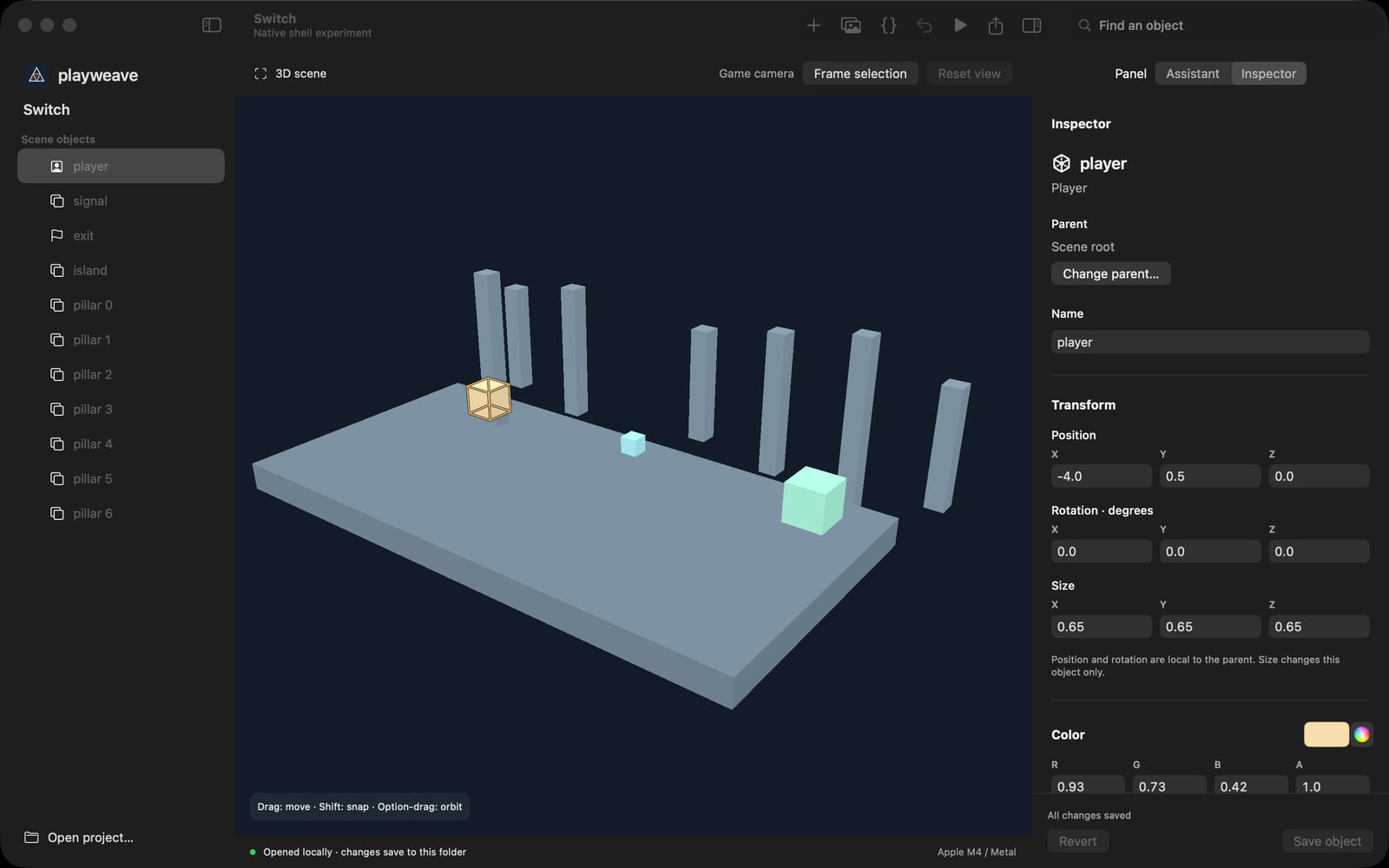
- Open Scripts. Change
local speed = 3tolocal speed = 4.
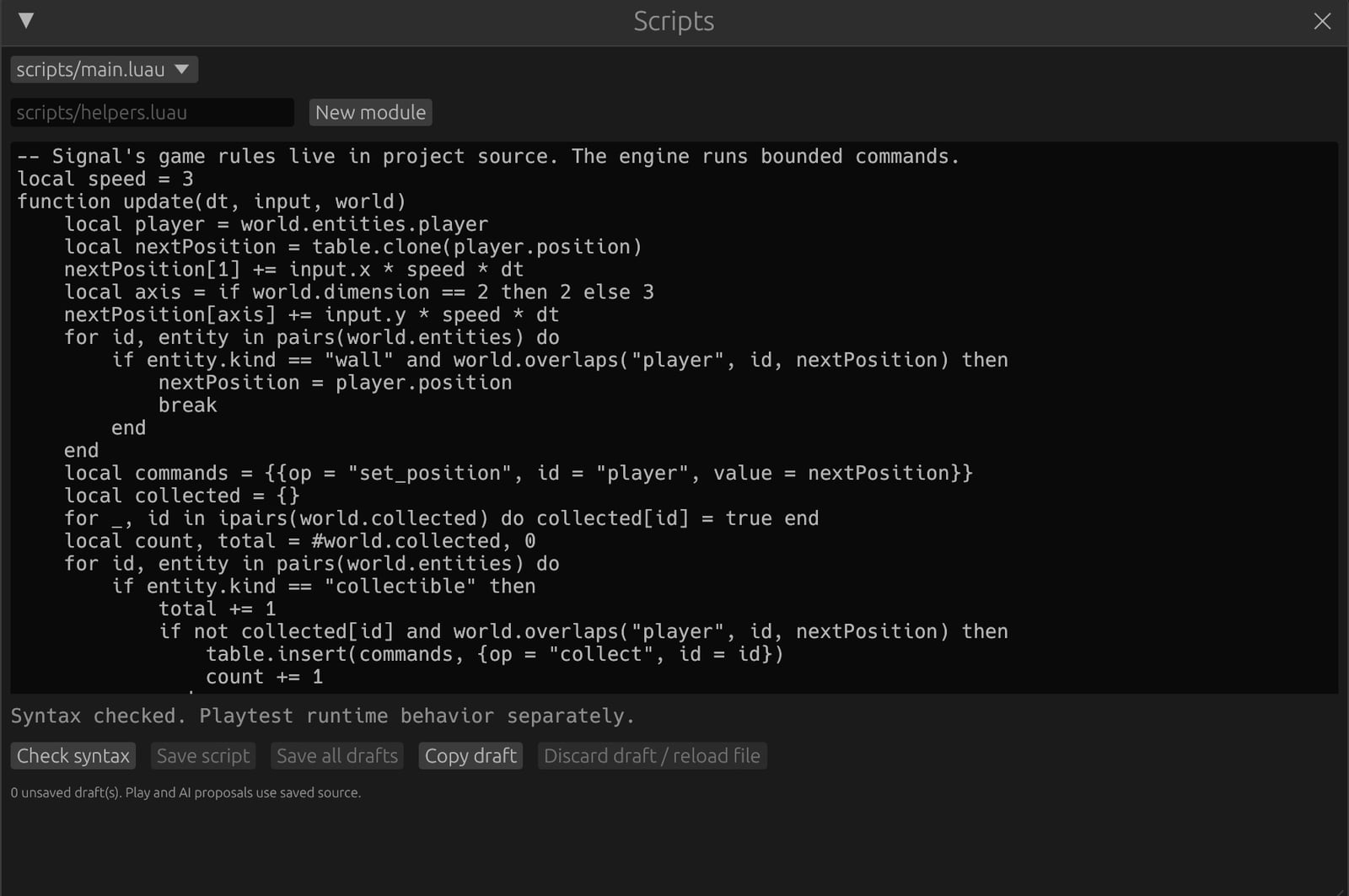
- Select Check syntax, Save script, then Play. Try the movement.
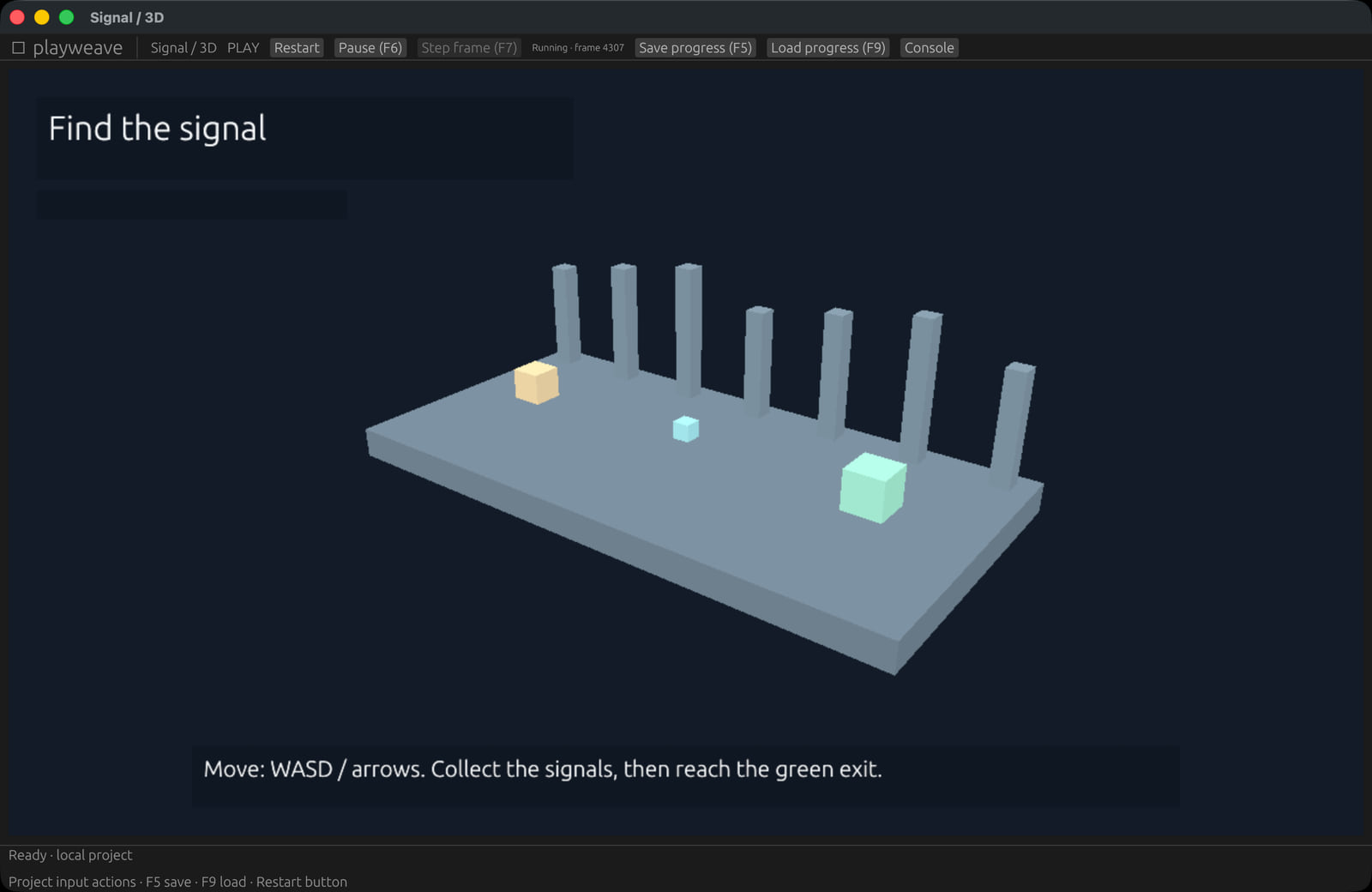
- Stop the game to return to editing. Undo restores the previous source revision.
Check from the terminal
cargo run -p playweave-cli -- validate examples/signal-3dValidation checks structure and script syntax. Play the game to check its behavior.
Next: work with AI or export your game.